
This guide will walk you through setting up SABnzbd to work with UsenetServer news servers. If you haven’t already signed up for Usenet access then take a look at UsenetServer. They offer the best binary and text retention (more retention = better search results and file completion), the fastest network, 20 connections, SSL encryption and servers in the US and Europe. NGR visitors receive a special price of $7.95/mo (60% special lifetime discount).
Step 1 – Install SABnzbd+
If you haven’t already installed SABnzbd then visit the download site and grab the latest distribution.
Step 2 – Configure SABnzbd+
Figure 1 – SABnzbd > Select a Language
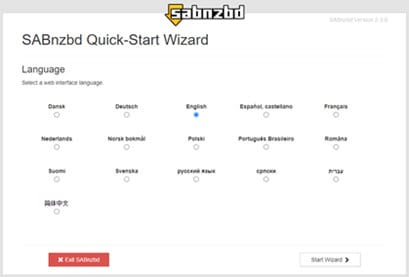
Select a language and click “Start Wizard”
Figure 2 – SABnzbd > Select a Skin
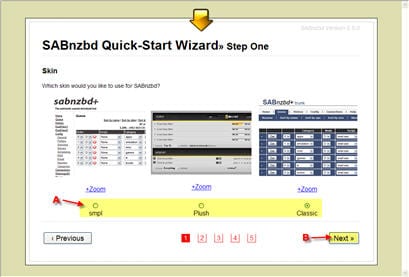
Select a skin and click “Next”
Figure 3- SABnzbd > Password Protection
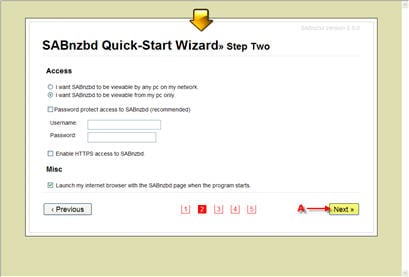
Password protect SABnzbd if desired and click “Next”
Figure 4 – SABnzbd > News Server Information
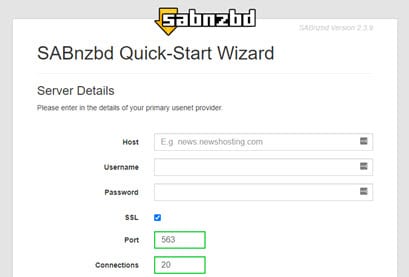
The Add Server box includes everything you need to get up and running. Simply enter the information as follows:
– Host: news.usenetserver.com, secure.usenetserver.com (SSL) or text.usenetserver.com (text-only)
– Port: use port 443, 563 or 8080 for secure or port 119, 23, 25, 3128, 8000 or 9000 for standard connections.
– Username: provided in email
– Password: provided in email
– Connections: UNS supports up to connections.
– Check SSL for secure access.
– Click Test Server
Figure 5 – SABnzbd > Newzbin / NZBMatrix
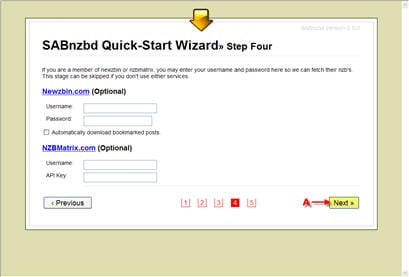
If you have a NewzBin or NZBMatrix account you can integrate it into SABnzbd by entering your information. Click “Next” when finished.
Figure 6 – SABnzbd > Quick-Start Completed
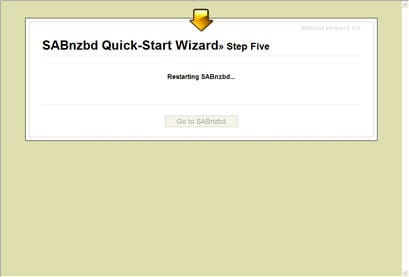
After the SABnzbd+ quick-start is complete the newsreader site will open. By default the address is http://localhost:8080/sabnzbd/. For Windows users the client will automatically associate nzb files with SABnzbd+ so you can simply double click a file and it will load into the queue for downloading. With built in par2, unrar and unzip support SABnzbd+ will take care of the rest.
It’s that simple to configure SABnzbd+ for UseNetServer. Enjoy!